


🚗 Mileage Log Template Google Sheets Excel | IRS Mileage Tracker 2025 2026 | Business Tax Deduction | Instant Download
📊 Track every mile • Claim every dollar • Auto-calculating IRS deductions • Instant Download
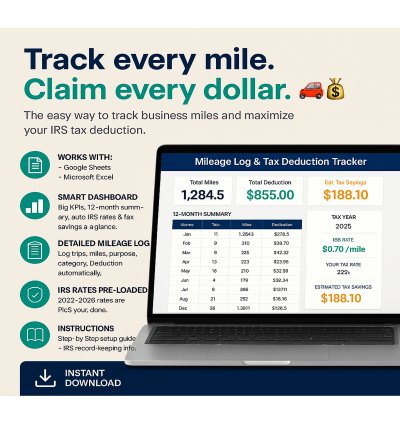
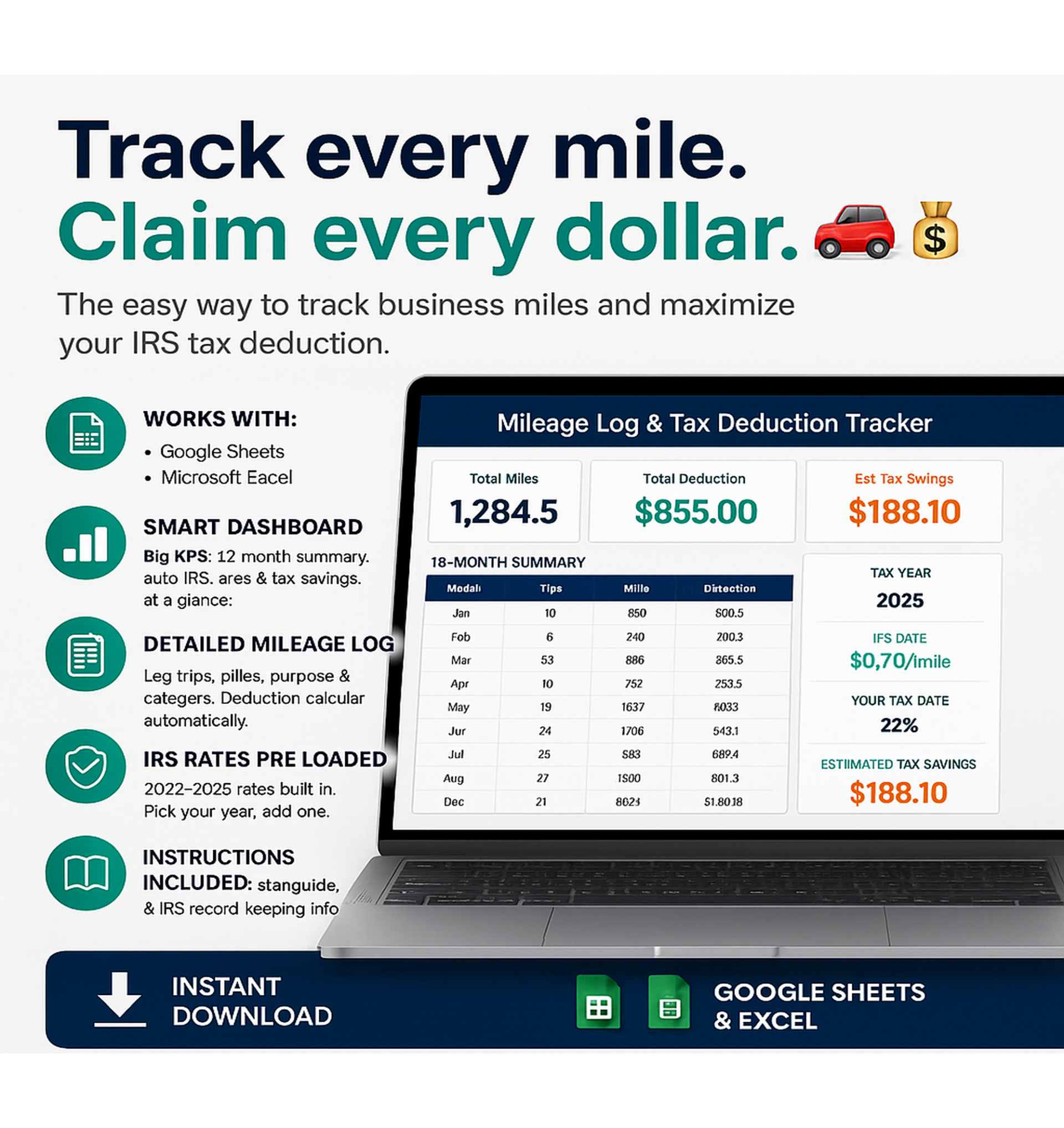
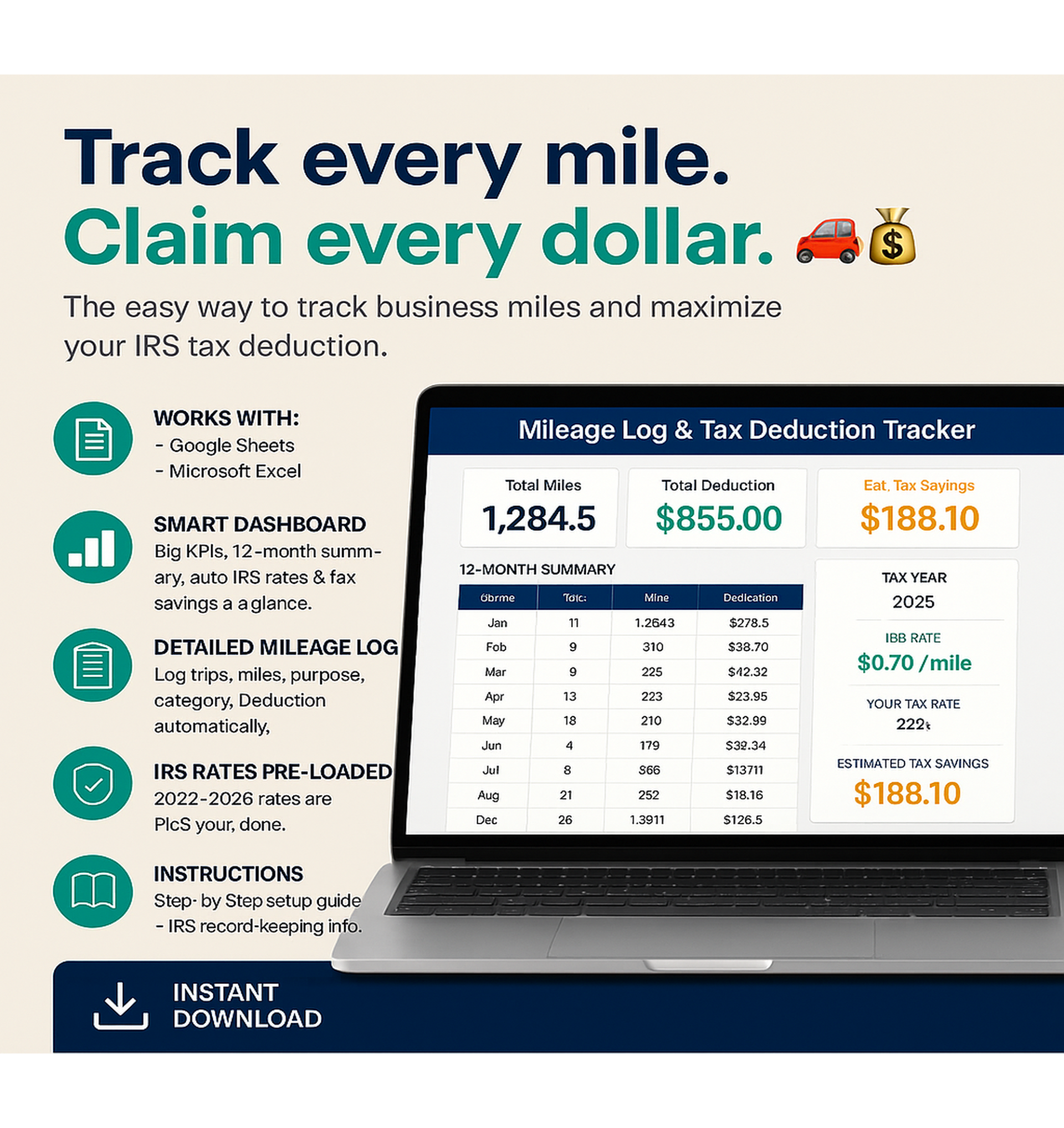
Track every mile. Claim every dollar. 🚗💰
Stop leaving money on the table! This premium Mileage Log Template for Google Sheets & Microsoft Excel makes tracking business miles and calculating your IRS tax deduction completely effortless — no math, no stress.
✅ Works With
📊 What's Included
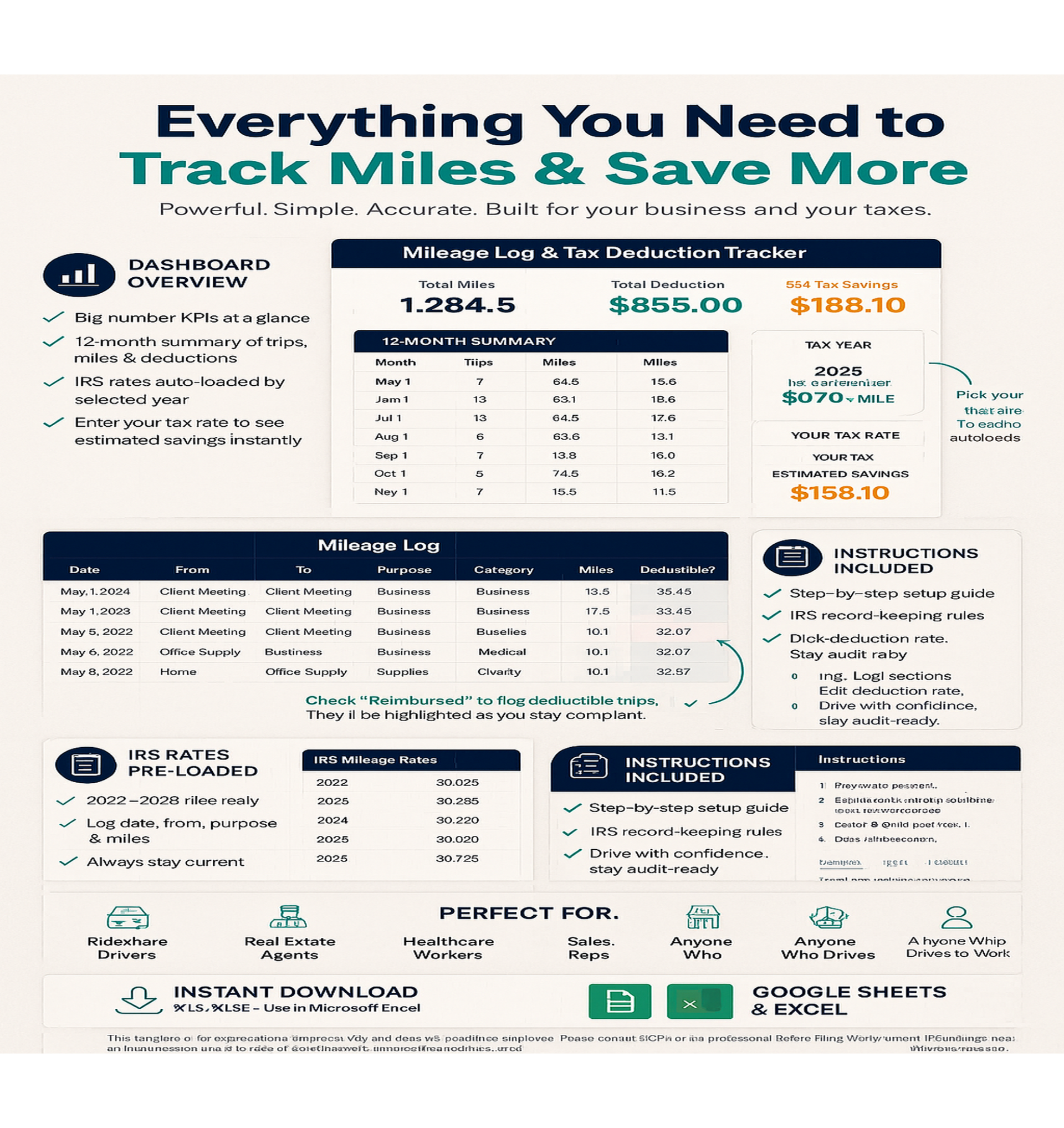
• Full 12-month summary table — trips, miles, deduction per month
• IRS rate auto-loads based on your selected tax year
• Enter your tax rate → see your estimated savings instantly
• Log Date, From, To, Purpose, Miles — deduction calculates automatically
• 4 IRS tax categories: Business, Medical, Charity, Moving (military)
• "Reimbursed?" flag highlights non-deductible trips in red
• Just pick your year — the rate updates everywhere automatically
• IRS record-keeping requirements explained
🚀 Key Features
💡 Perfect For
📠File Type
Microsoft Excel (.xlsx) — upload to Google Drive and open with Google Sheets, or open directly in Excel.
📌 Instant Download — receive your file immediately after purchase.
âš¡ How It Works
- Open the Excel file in Excel or Google Sheets
- Select your tax year (2022-2026)
- Log your trips — date, from, to, purpose, miles
- Watch your deduction and estimated tax savings calculate automatically
âš Disclaimer
This template is for organizational purposes only and does not constitute tax advice. Please consult a CPA or tax professional before filing. Verify current IRS mileage rates at irs.gov.
© Said Boufares. Personal use only. Redistribution or resale strictly prohibited.
✅ 100% Satisfaction Guarantee
Not satisfied? Contact me within 30 days for a full refund. No questions asked.
🚗 Track every mile. Claim every dollar. Download your IRS Mileage Log today.
Instant Digital Download • Google Sheets & Excel • Lifetime Access
No reviews found!

No comments found for this product. Be the first to comment!